
Hybrid Events 101: Serving In-Person and Remote Guests at Once
Hybrid events let you welcome a limited in-person audience while reaching everyone else online. Here is how to plan one that serves both groups well.
For much of this year, events have been either fully cancelled or fully online. But as limited in-person gatherings return under careful conditions, a middle path has become the practical choice for many organizers: the hybrid event. A smaller live audience in the room, and a larger remote audience joining online, all experiencing the same program.
Hybrid is more than a livestream of a physical event. Done well, it treats both audiences as first-class guests. Done poorly, it serves the room and leaves the online attendees feeling like they are watching through a keyhole. Here is how to plan one that works for everyone.
Why Hybrid Makes Sense Right Now
The appeal is straightforward. Capacity limits mean you cannot host the full crowd you once did, but a hybrid format lets you reach an unlimited remote audience while keeping the in-person group small and safe. You get the energy and networking value of a live room and the reach and accessibility of an online broadcast.
It also future-proofs your event. Even as conditions improve, many attendees will continue to value the option of joining from home — because of distance, cost, or simple convenience. Building hybrid capability now is an investment that keeps paying off.
Plan for Two Audiences From the Start
The most common hybrid mistake is designing the event for the room and bolting on a camera at the end. Instead, plan for both audiences in parallel from day one.
Ask, for every element of the program: what does this look like for someone in the room, and what does it look like for someone at home? A panel discussion, a networking break, a Q&A, a product demo — each needs a deliberate plan for the remote experience, not just the live one.
Get the In-Person Registration Right
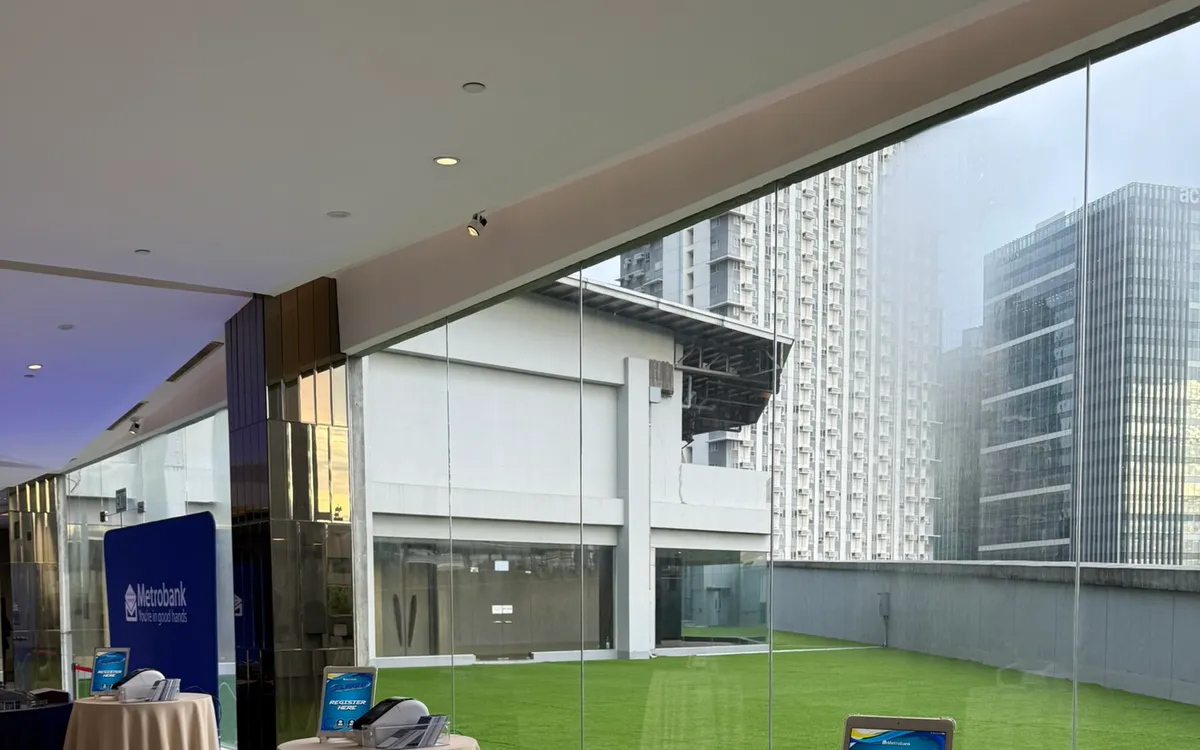
Your live audience is smaller now, but their check-in still matters — arguably more, because it must be safe and contactless. Digital check-in on tablets, staggered arrivals, distanced lanes, and on-demand badge printing all apply exactly as they would for any careful in-person event.
The bonus of digital registration is clean data. You know precisely who attended in person, which — combined with your online registration numbers — gives you a complete picture of your total reach across both formats.
Give the Remote Audience a Real Seat
Online attendees disengage the moment they feel like passive spectators. Keep them active:
- Bring their questions into the room. Assign someone to monitor the online chat and read remote questions aloud during Q&A, so home viewers see their voice reaching the stage.
- Run polls and interactive moments that both audiences take part in together.
- Acknowledge them from the stage. A speaker who says "and for those joining us online" makes remote guests feel counted.
The technology matters, but the mindset matters more. Treat the camera as a section of your audience, not an afterthought.
Mind the Production Basics
You do not need a broadcast studio, but a few essentials separate a professional hybrid event from an awkward one. Stable internet is non-negotiable — everything depends on it. Good audio matters even more than good video; remote viewers will forgive a modest picture but not muffled sound. And a clear, well-lit view of the stage or speaker keeps the online experience watchable.
Assign someone to own the online broadcast whose only job is the remote audience. When one person is responsible for the stream, chat, and remote Q&A, the online experience stops being an accident.
Rehearse the Handoffs
Hybrid events live or die on transitions: cutting from a live speaker to a remote presenter, launching a shared poll, bringing an online question into the room. These handoffs are where things go wrong on the day.
Run a technical rehearsal that walks through each transition. Test the remote presenter's connection, the audio routing, and the moment you bring the online audience into the conversation. Ten minutes of rehearsal saves ten minutes of dead air in front of a live crowd.
Follow Up With Both Groups
After the event, both audiences deserve follow-up. Share the recording with everyone, send resources and next steps, and gather feedback from in-person and online attendees separately — their experiences differ, and so will their suggestions.
This is also where your registration data earns its keep. A clean list of who attended, in which format, lets you tailor your follow-up and measure the true size of your audience.
Common Hybrid Pitfalls to Avoid
Most hybrid events that disappoint fall into a few predictable traps. Knowing them in advance is the easiest way to steer clear.
The first is treating the online audience as an afterthought — pointing a single camera at the stage and hoping for the best. Remote viewers can tell immediately when no one is thinking about them, and they leave. The fix is to assign a person whose only responsibility is the remote experience.
The second is neglecting audio. Organizers pour attention into visuals and forget that remote attendees will tolerate an average picture but never bad sound. Invest in getting clean audio from your speakers to the stream before you worry about anything else.
The third is skipping the technical rehearsal. Hybrid events are full of live handoffs — cutting to a remote presenter, launching a poll, reading an online question aloud — and these are exactly where things break in front of a live crowd. A short run-through of every transition prevents most on-the-day disasters.
The fourth is forgetting interaction entirely, leaving the online audience to watch passively until they drift away. Build in polls, chat moderation, and moments that acknowledge remote guests by name.
The Takeaway
Hybrid events are not a temporary compromise. They are a genuinely better way to reach people, and the skills you build now will serve you long after capacity limits are a memory. The core principle is simple: plan for both audiences from the beginning, and give each a reason to feel fully present.
If you are planning a hybrid event in Metro Manila, we can equip the in-person side — tablets for safe digital check-in, hands-free stands, and on-demand badge printing — so your team can focus on delivering a great experience to the room and the screen alike.
Planning an event?
We deliver and set up iPads, printers, and registration tech across Metro Manila.
Request a quote