
How iPads Streamline Attendee Check-In at Conferences
Swapping paper lists for iPads transforms conference check-in. Here is exactly how tablet-based registration speeds up your desk and improves your data.
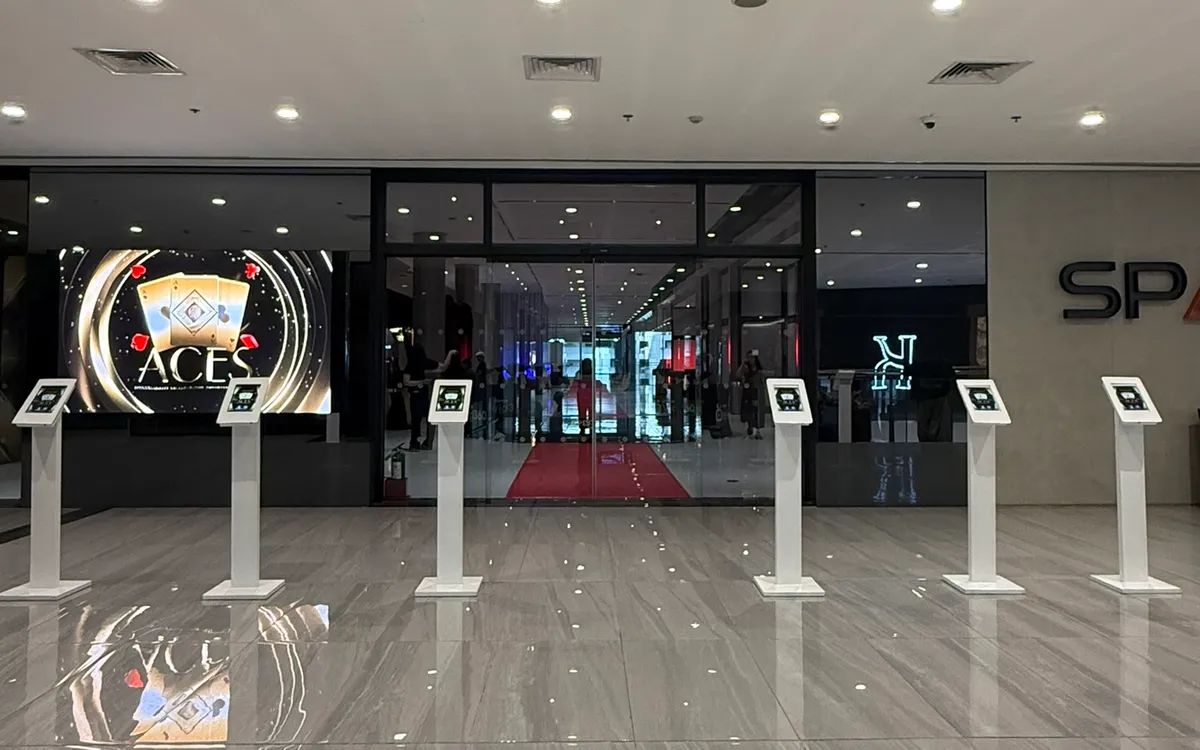
Anyone who has worked a conference registration desk knows the feeling: a line building, a staff member running a finger down a printed list of hundreds of names, a guest tapping their foot while their surname is hunted for. Paper check-in was always the slowest part of a well-organized event. Swapping it for iPads changes that completely.
Tablet-based check-in is now standard at well-run conferences, and for good reason. Here is exactly how it speeds up your desk, improves your data, and creates a better first impression — and how to set it up properly.
The Problem With Paper
A printed master list has three weaknesses that compound as your event grows. It is slow to search, because finding one name among hundreds takes real time. It is easy to get wrong, because it is simple to check off the wrong line or miss someone entirely. And it tells you nothing useful afterward — you are left counting checkmarks by hand to figure out how many people actually showed up.
At a small gathering you can get away with paper. At a conference of several hundred, it becomes the bottleneck that defines your guests' first impression.
How iPad Check-In Works
The concept is simple. Each registration lane has an iPad loaded with your guest list. When a guest arrives, a staff member types the first few letters of their surname, and the matching record appears instantly. One tap marks them as arrived. If badges are being printed, that same tap sends the badge to a nearby printer. The whole interaction takes a few seconds.
Because every check-in is recorded the moment it happens, you get a live, accurate count of attendance without anyone counting anything. And because the search is instant, one lane can process guests several times faster than a staff member working from paper.
The Speed Difference Is Real
Consider a 400-person conference where most guests arrive in the twenty minutes before the opening. On paper, with staff scanning long printed lists, lines build quickly and the program starts late. With iPads, each guest is found in seconds, lanes clear steadily, and the surge is absorbed without drama.
The practical effect is fewer lanes needed for the same crowd, a calmer desk, and an event that starts on time. That last point matters more than it sounds — a conference that begins fifteen minutes late has already spent some of its goodwill before the first speaker takes the stage.
Better Data, Automatically
Beyond speed, the biggest advantage of digital check-in is the data it produces effortlessly. You know exactly who attended and who did not, which is useful for follow-up, for sponsors who want to know reach, and for planning your next event. You can see arrival patterns — when your peak actually hit — which sharpens your staffing decisions next time. And your attendee records stay clean and centralized rather than scattered across a marked-up printout.
For multi-session conferences, tablets can also track who attended which breakout, giving you a genuine picture of what your audience cared about most.
Handling Walk-Ins and Exceptions
A common worry is what happens when someone is not on the list. Digital check-in handles this gracefully. A simple form on the same iPad lets staff add a walk-in on the spot, capturing their details and issuing a badge just like any other guest. The new record joins your live data immediately.
Misspellings are easier too. Because you search by the first few letters rather than needing an exact match, a guest registered as "Cathy" is still found when they say "Kathy" — you simply see the close matches and pick the right one.
Setting Up for Success
A few practical points make tablet check-in reliable on the day:
- Charge everything and bring power. iPads used continuously for a few hours will need charging. Have chargers and, ideally, a power source at the desk.
- Use stands. Mounting each iPad on a stand keeps it stable, at a comfortable angle, and hands-free. It looks more professional than a device lying flat on the table and is easier for staff to use quickly.
- Load and test the list in advance. Import your guest list ahead of time and run test check-ins before doors open.
- Have a backup. Keep a printed list or an offline copy as a fallback in case of a connectivity hiccup.
Pairing With On-Demand Badge Printing
Check-in and badge printing are natural partners. When a guest is found on the iPad, a linked label printer produces their badge immediately — correctly spelled, freshly printed, no pre-sorting required. Walk-ins get the same clean badge as everyone else. Together, digital check-in and on-demand printing turn the two slowest parts of registration into the two fastest.
What to Look For in a Check-In Setup
If you are new to tablet-based registration, a few qualities separate a setup that helps from one that gets in the way. The lookup should be fast and forgiving — searching by the first few letters of a surname, tolerant of misspellings, and instant to display results. Adding a walk-in should take seconds, not force staff into a separate, clumsy process.
Just as important is what happens around the tablet. Sturdy stands keep each device stable, angled, and hands-free, which matters when staff are working quickly through a surge. Reliable power — chargers on hand, ideally a source at the desk — keeps devices alive through a long arrival window. And a sensible fallback, such as an offline copy of the list, protects you against a connectivity hiccup.
Finally, think about the guest's side of the interaction. The best check-in feels effortless to the person arriving: they give their name, confirm a detail, and receive their badge, all without touching anything or waiting. When the setup fades into the background and the guest simply feels welcomed and moved along quickly, you have chosen the right one.
The Bottom Line
Moving from paper to iPads is one of the highest-return upgrades you can make to an event. It shortens lines, starts your program on time, hands you accurate data with zero extra effort, and makes your registration desk look as professional as the rest of your conference. For an in-person event of any real size, it is no longer a luxury — it is the sensible default.
If you are running a conference in Metro Manila, we can supply the iPads, stands, and printers, load your guest list, and set the whole desk up — so check-in becomes the smoothest part of your day rather than the slowest.
Planning an event?
We deliver and set up iPads, printers, and registration tech across Metro Manila.
Request a quote