
How to Run an Event Registration Desk That Never Backs Up
The registration desk is the first thing your guests experience. Here is how to design one that clears lines fast and starts every event on a good note.
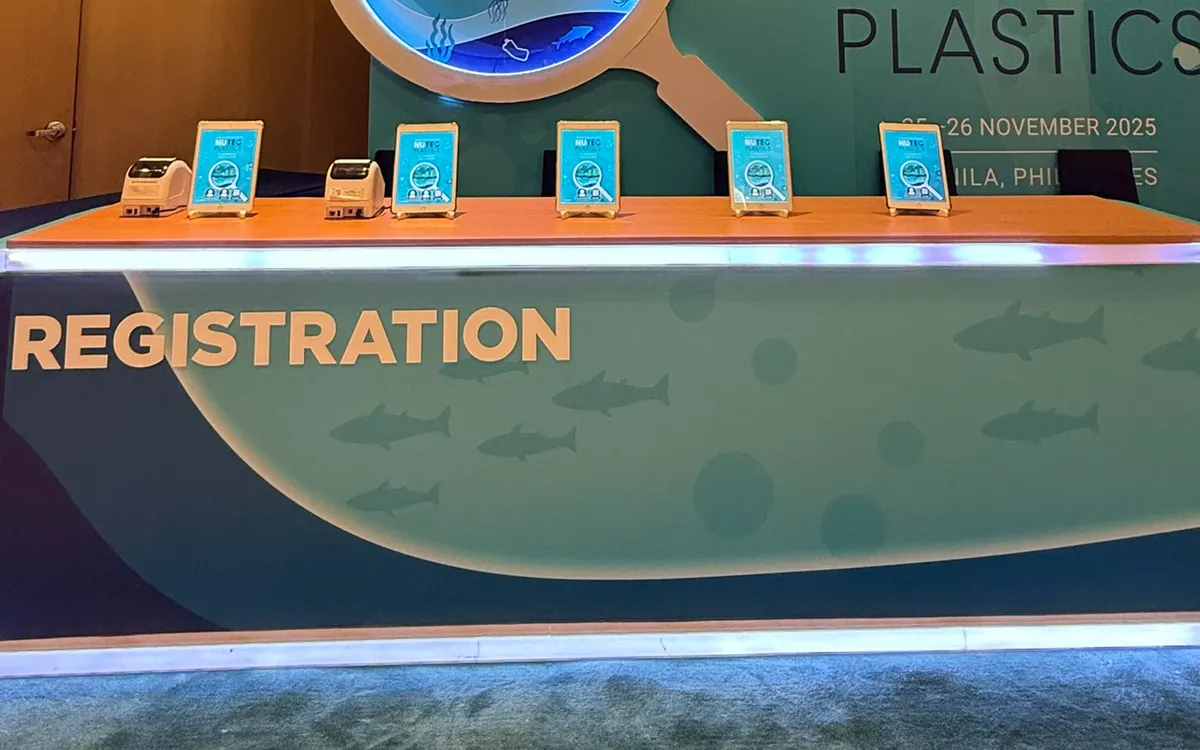
The registration desk is the first real impression your event makes. Long before the keynote, the catering, or the giveaways, your guests form an opinion in the ninety seconds they spend checking in. A smooth desk sets a confident tone. A slow one leaves people frustrated before they have even sat down.
After years of setting up registration for conferences, product launches, and corporate summits across Metro Manila, we have learned that a fast desk is almost never about working harder on the day. It is about a handful of decisions made in the weeks before. Here is how to get them right.
Start With Your Arrival Curve, Not Your Headcount
Most organizers plan around the total number of guests. The number that actually matters is how many arrive in your busiest fifteen minutes. A 300-person seminar where everyone shows up right before a 9:00 AM start is far harder to serve than a 600-person expo with doors open all day.
Ask yourself: when does the program start, and how many people habitually arrive in the final quarter hour? For most corporate events in the Philippines, expect a heavy surge right before the opening. Plan your desk capacity for that peak, not for the calm average.
A useful rule of thumb: one check-in station can comfortably process about four to six guests per minute once the process is streamlined. If you expect 200 people to arrive in a ten-minute window, you need enough stations to clear roughly twenty guests a minute. That points to four or five parallel lanes, not one long queue.
Split Your Lines by Something Guests Already Know
The single biggest cause of desk congestion is making everyone stand in the same line. Break the crowd into groups your guests can sort themselves into without thinking.
The most reliable split is alphabetical, by surname. Clear signage — A to G here, H to N there — lets people self-select before they reach the desk. Other useful splits include pre-registered versus walk-in, VIP or speakers versus general admission, and by company or delegation for events with large group bookings.
The goal is that no guest ever has to ask which line to join. If your staff are constantly redirecting people, your signage is doing the work your signs should be doing.
Decide How You Will Look People Up
This is where speed is won or lost. Searching a printed master list by hand is slow and error-prone once you pass a hundred names. A digital lookup on a tablet is dramatically faster: a staff member types three letters of a surname and the record appears instantly.
We typically set up iPads at each lane loaded with the guest list. Check-in becomes a five-second interaction: find the name, tap to mark them as arrived, hand over the badge. The device also keeps a live, accurate count of who has actually shown up, which is invaluable for the organizer trying to decide when to start.
If you are expecting walk-ins, have a simple form ready on the same device so new guests can be added on the spot without breaking the flow.
Print Badges On the Spot, Not the Night Before
Pre-printing every badge feels efficient until you are standing over a table of 400 alphabetized name tags, hunting for one that a guest insists should be there. Misspellings, last-minute additions, and no-shows all conspire against you.
On-demand printing solves this. Paired with the check-in tablet, a compact label printer produces a clean, correctly spelled badge the moment a guest is found in the system. No pre-sorting, no gaps in the alphabet, no leftover pile to reconcile at the end. Walk-ins get the exact same experience as pre-registered guests.
Stage the Desk So People Keep Moving
A registration desk should work like a short assembly line, not a single point where everything happens at once. Separate the steps physically:
- Lookup and check-in at the first touchpoint.
- Badge collection a step to the side, so the next guest can be served while the last one waits for a print.
- Materials or giveaways at a separate table entirely, well clear of the desk.
When you combine lookup, printing, payment, and handing out tote bags into one spot, every slow interaction blocks everyone behind it. Pulling those steps apart keeps the critical bottleneck — finding the guest — moving at full speed.
Brief Your Staff on the Exceptions
Your team will handle the standard check-in fine. What slows a desk is the exceptions: the guest whose name is spelled differently than registered, the executive who brought two unregistered colleagues, the vendor who is not on any list. Decide in advance who handles these and where they go.
The best setup is a dedicated help lane, staffed by your most experienced person, that the main lanes can redirect tricky cases to. That way one complicated guest never holds up the fifty behind them.
Do a Full Dry Run
An hour before doors open, run ten imaginary guests through the entire process end to end. Check in a pre-registered name, add a walk-in, print a badge, handle a misspelling. You will almost always find one small thing — a device that needs charging, a sign facing the wrong way, a printer roll running low — that is trivial to fix at 8:00 AM and a crisis at 9:05.
The Payoff
A well-run registration desk does more than avoid complaints. It gives your event a confident, professional start; it hands you accurate real-time attendance data; and it frees your team to welcome guests warmly instead of apologizing for the wait.
None of this requires a big budget. It requires deciding your arrival curve, splitting your lines, looking people up digitally, printing on demand, and rehearsing once. Get those right and the desk quietly does its job — which is exactly what a great registration desk should do.
If you are planning an event in Metro Manila and want the registration experience handled properly, we deliver and set up the tablets, stands, and printers, and can staff the desk for you.
Planning an event?
We deliver and set up iPads, printers, and registration tech across Metro Manila.
Request a quote